
Workflow · 6 min read
Bulk Transcripts and Subtitle Downloads: A Practical Guide
One video at a time is fine until you have a hundred. Research, archiving, captioning a series or auditing a channel all call for batch work — and for exports that downstream tools can actually open.
When to go bulk
Bulk extraction pays off when the unit of work is a collection: a course playlist you want to study, a channel you are researching, a podcast archive you want to search, or a series you are captioning. Instead of pasting links one by one, you hand over a playlist URL, a channel URL, or a CSV of links.
How batch jobs behave
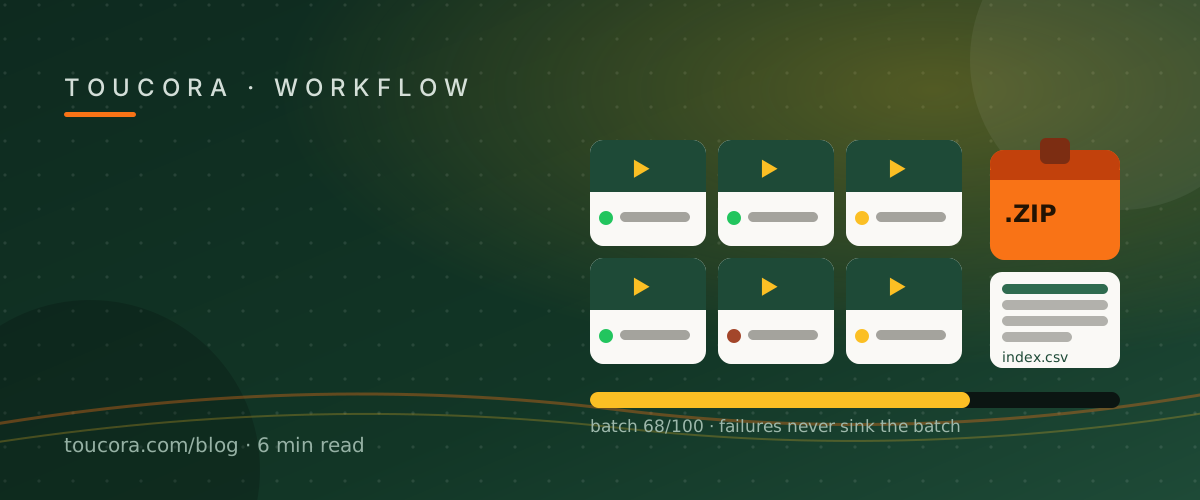
Bulk jobs run in the background, so you can close the tab. Each item reports its own status — processing, complete, or failed — and a failed video never sinks the whole batch. When the job finishes you get a ZIP of transcripts plus a CSV index so you can trace each file back to its source.
Choosing the right export
TXT is for reading, searching and feeding into another tool. Markdown is for notes and publishing, with timestamps as links. SRT and VTT are for video: they carry start and end times and are read by every editing and captioning application.
If your goal is subtitles, export SRT or VTT from the timed transcript. If your goal is text analysis, export TXT in plain mode so timecodes do not pollute the corpus.
Working with automatic captions at scale
Batch extraction prefers manual captions and falls back to automatic ones, labelling which was used. For a first pass over a large archive that is usually good enough; for captions you intend to publish, plan a proofreading pass on names and terminology.
Frequently asked
Can I process a whole playlist?
Yes — the bulk page accepts playlists, channel URLs and CSV uploads of links.
Which subtitle formats can I download?
SRT and VTT carry timing; TXT and Markdown are also available for text workflows.
What if some videos fail?
Each item reports its own status; failures do not stop the rest of the batch.