
Workflow · 6 min read
Timestamps, Plain Text, or Clean: Which Transcript Format Do You Need?
A transcript is not one thing. The same video can produce a timed document for subtitling, a clean paragraph stream for reading, and a symbol-free version for publishing. Choosing the right output is the difference between a transcript you reuse and one you fight.
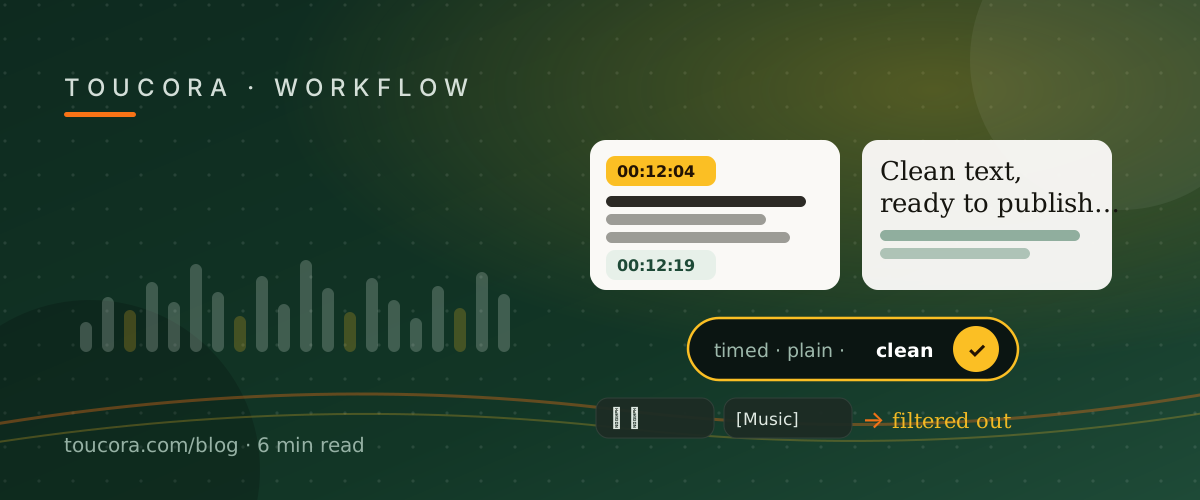
With timestamps: for navigating and subtitling
Timed output is the default for a reason. Each line carries a timecode that links back to the video, so you can jump to the moment a claim was made, and search results point to an exact second rather than a vague region.
Timing is also non-negotiable for subtitles. If you plan to upload captions, you need SRT or VTT, both of which carry start and end times. Reading the timed transcript is how you check those subtitles line up.
Without timestamps: for reading and republishing
When you want the words as prose — for a blog post, notes, or a study summary — timecodes are noise. Switching to “Without timestamps” hides the timecode column and makes Copy all, TXT and Markdown exports drop the [00:00] markers, producing a continuous flow of text.
The timed version is never lost. Switch back at any time, or export SRT or VTT, which always include timing.
Clean (no symbols): for lyrics and noisy captions
Caption tracks often carry non-speech markers. Music videos are the clearest example: YouTube writes “♪ Never gonna make you cry ♪”, and automatic captions add things like [Music], [Applause] or (laughs).
Clean (no symbols) strips musical notes and pictographic symbols, plus bracketed and parenthetical cue tags, so the line reads as plain words: “Never gonna make you cry”. It is independent of the timestamp choice, so you can combine Clean with timed or plain output.
Mixing formats across a project
A typical creator pass looks like this: read plain text to write the article, switch to Clean when quoting a lyric, then export SRT from the timed transcript to caption the clip. One extraction, three outputs.
Because the reader remembers your choice on the device, the format you prefer is already selected the next time you open a video.
Frequently asked
Does changing the format edit the original?
No. With/without timestamps and Clean only change what you read, copy and export; the stored transcript is untouched.
Which format should I use for subtitles?
Timed output, exported as SRT or VTT. Those formats always carry start and end times.
Can I combine Clean and timestamps?
Yes. Clean is an independent toggle, so all four combinations work.